
Import ACRA Business Profiles
Import your companies, with their directors and shareholders, from ACRA Business Profiles.
Import companies from their ACRA Business Profile PDFs, downloaded from BizFile+. Directors and shareholders are imported with each company. Only profiles for companies can be imported.
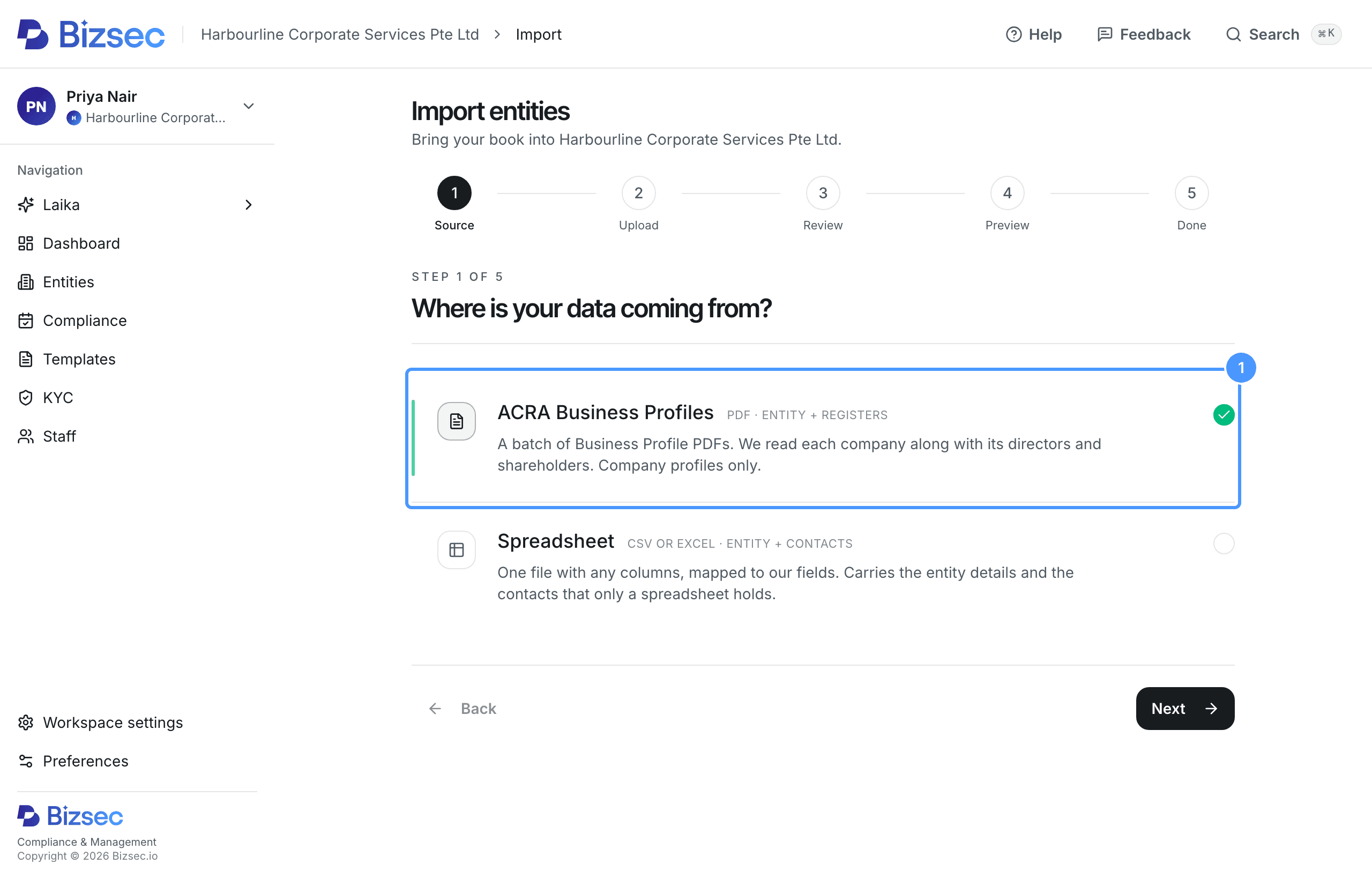
Choose ACRA Business Profiles
On the Entities page, choose Import entities. Choose ACRA Business Profiles, then Next.
If you are a staff member
Only owners can import companies. Ask your firm owner.
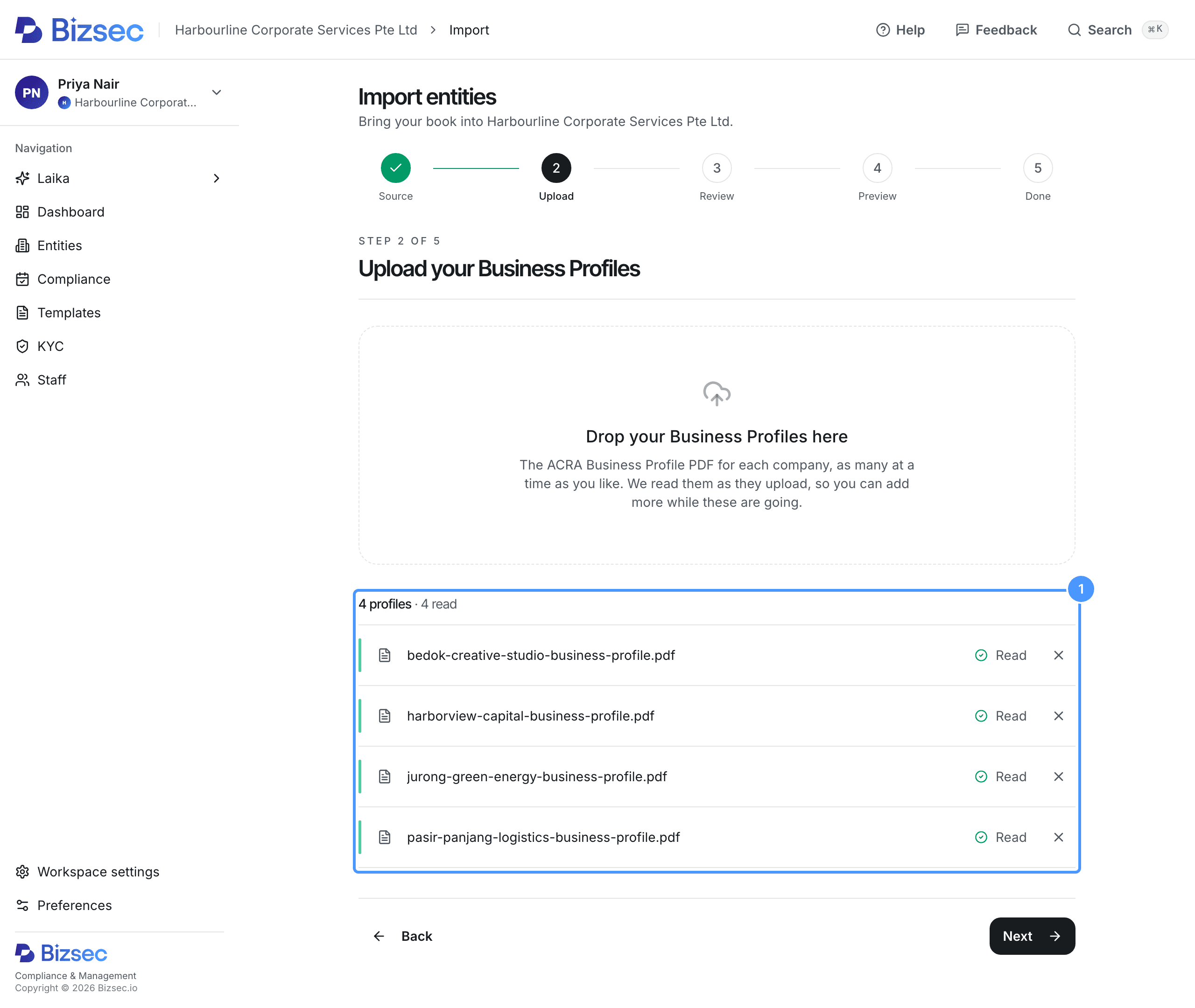
Upload your Business Profiles
Drop the PDFs on the page, up to 200 in one import. You can add more while Bizsec reads the first ones.
Each file shows Read when Bizsec has read it. If a file shows Not a readable profile or Could not be read, remove it with the cross and upload it again.
When every file has finished, choose Next.
Review the register
Each company is listed with the number of directors and shareholders found on its profile.
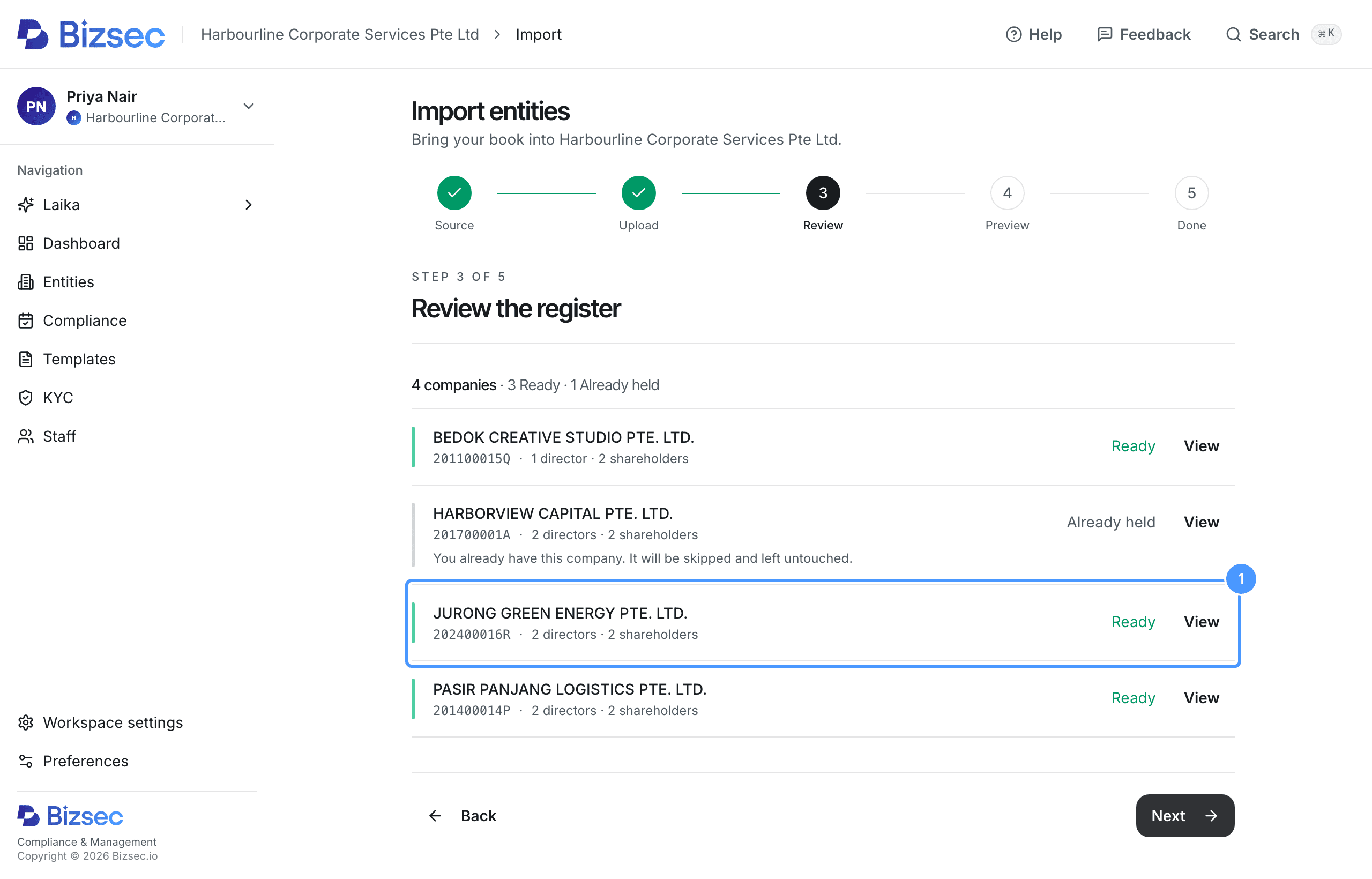
Choose View on a company to see its details, directors and shareholders.
Directors are imported from the Officer(s) table. Secretaries and other officers are not. Shareholders are imported with their share class and number of shares. A company that holds shares is imported with its UEN.
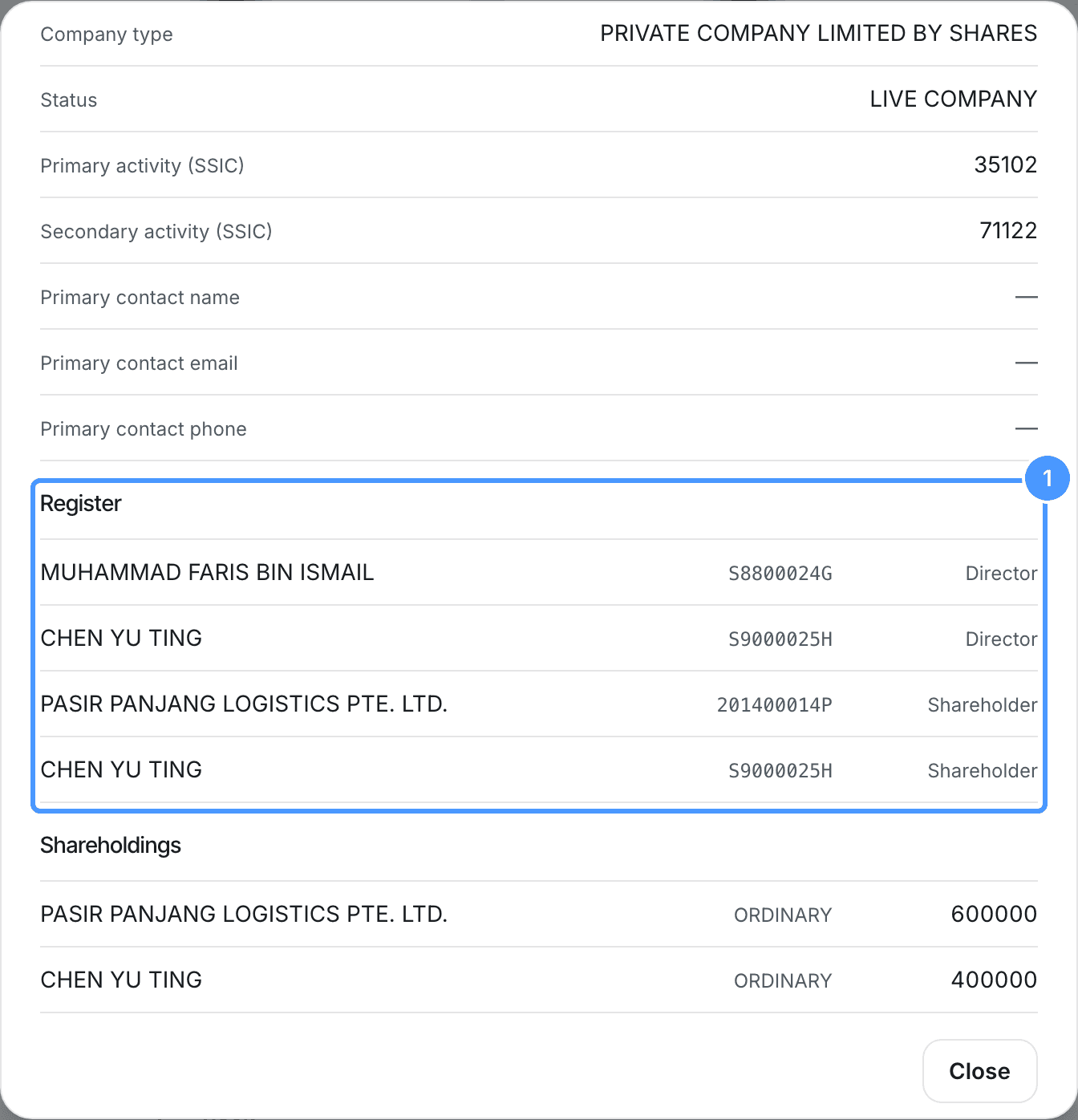
Choose Close, then Next.
Preview your import
Check the status of each company:
- Ready will be imported.
- Already held is already in Bizsec, or appears earlier in the same import. It is skipped.
- Needs review has a name, UEN, identification number or share count Bizsec is not sure of. Choose Review, correct anything wrong, and choose Save and continue.
- Claimed elsewhere has a UEN another firm on Bizsec holds. See It says this UEN already exists.
- Not a company is a profile for another type of business. It cannot be imported.
To leave a company out, untick it.
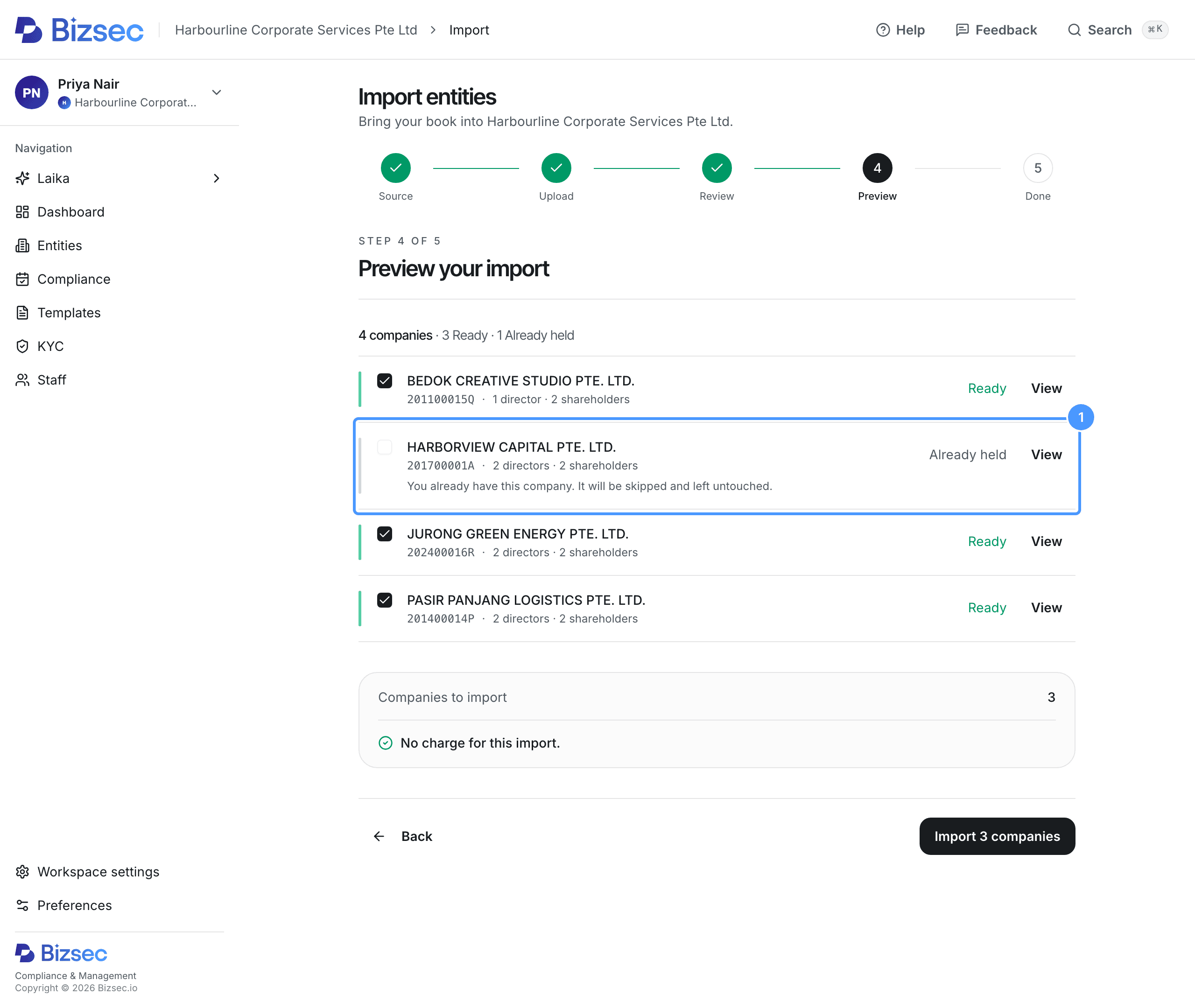
Check flagged fields
Choose View on a company to see everything Bizsec read for it. A flagged field shows the original value struck through, with the reason. It imports blank. See Some cells came in blank with a flag.
On a Business Profile, the usual flag is an activity code that is not in the SSIC 2025 table. Older profiles can still carry one.
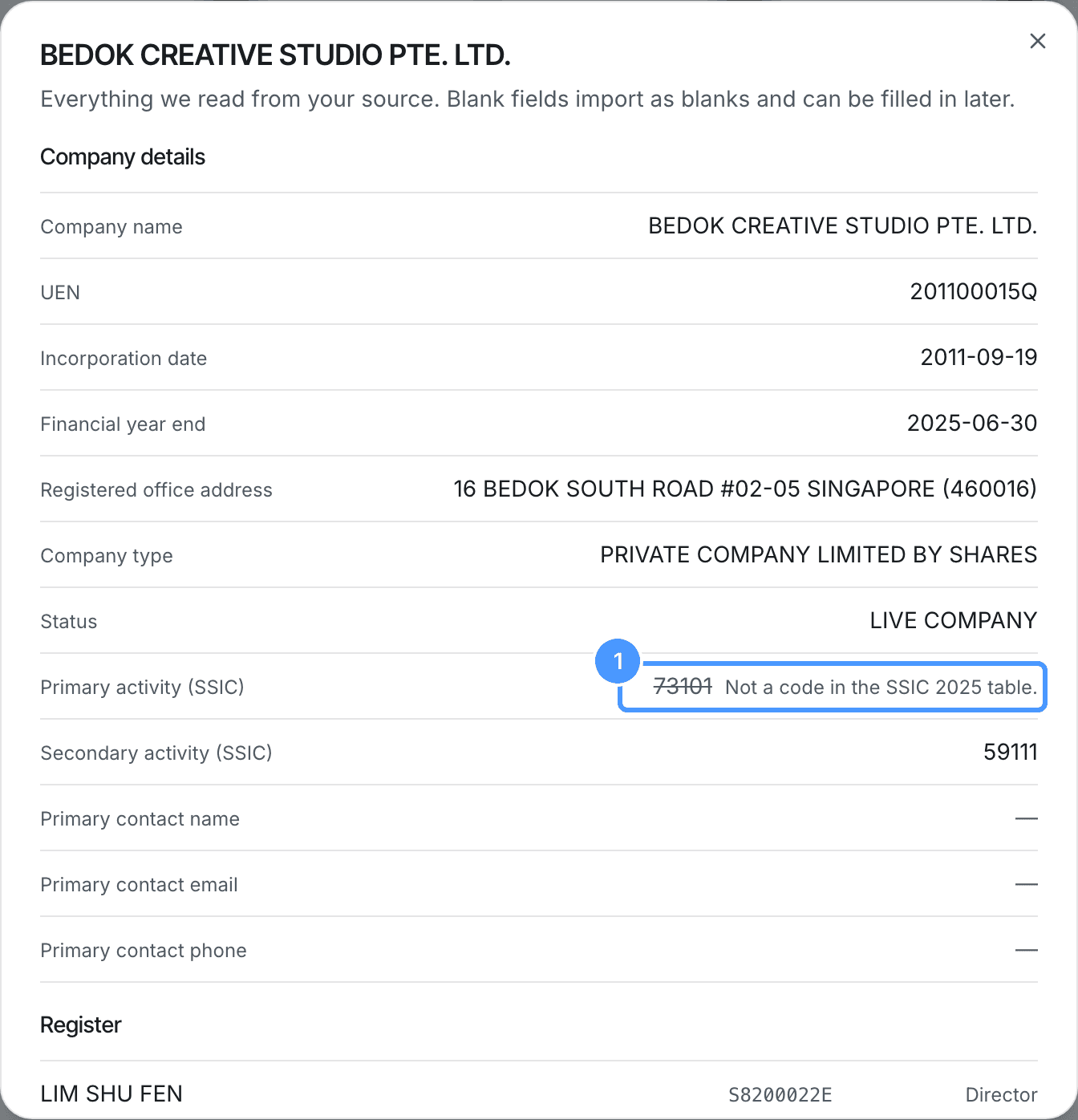
Choose Close, then choose the Import button. It shows the number of companies ticked.
Check the results
Each company shows what happened to it. Imported and flagged companies were imported with some fields blank. Open them from the Entities page and fill in the blanks.
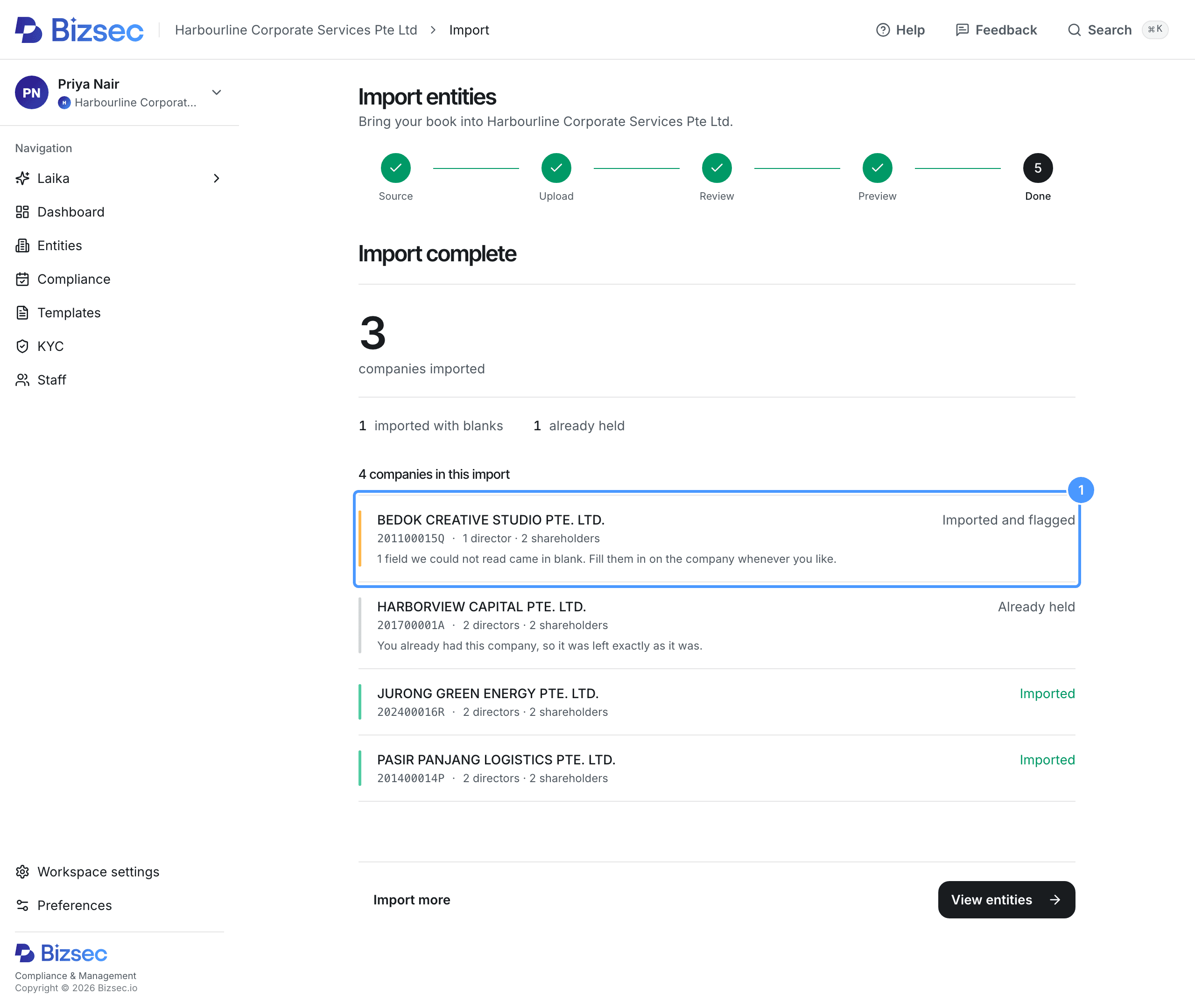
Choose View entities to see your companies.
If you leave before you finish, see I closed the tab mid-import, have I lost it?
How is this guide?